Example: Adding interaction between Vega-Lite and UTK
This examples covers a simple interaction between a Vega-Lite plot and a UTK visualization. This examples uses the Project Sidewalk sample data available here.
Step 1: Loading data
Once you have downloaded the datasets, upload them into Curio using the Upload Dataset functionality.
Step 2: Connecting UTK to Vega-Lite plots
To link UTK interactions with Vega-Lite plots, create data and interaction edges from a data pool node like the image below:
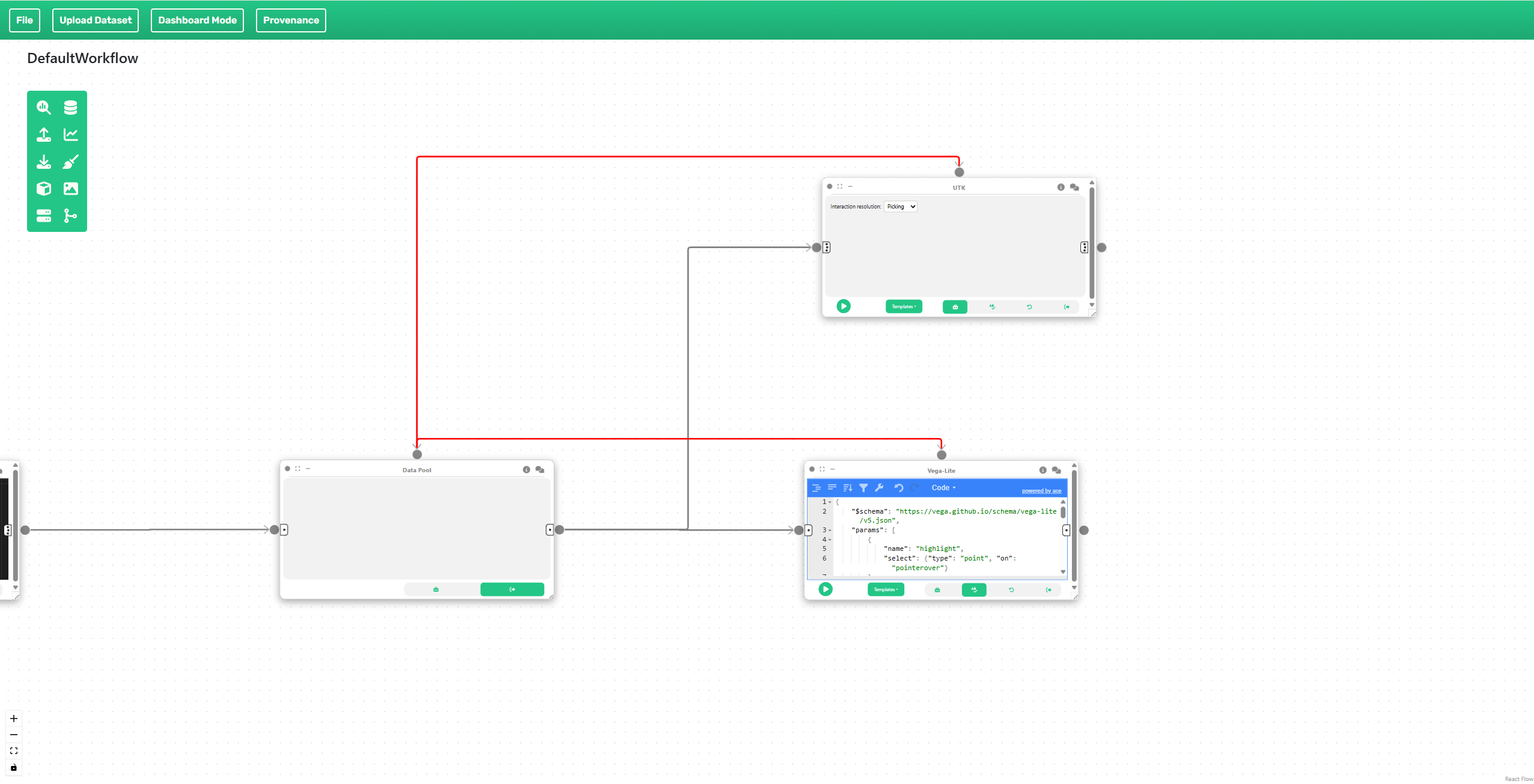
Select "Picking" as the interaction for UTK. The nodes will be populated with pre-defined code. Linked interactions can only work if they are connected to a data pool as shown in the image.
You can download a JSON specification with this example here.